Google Ads for Indian Small Businesses: A Practical Guide

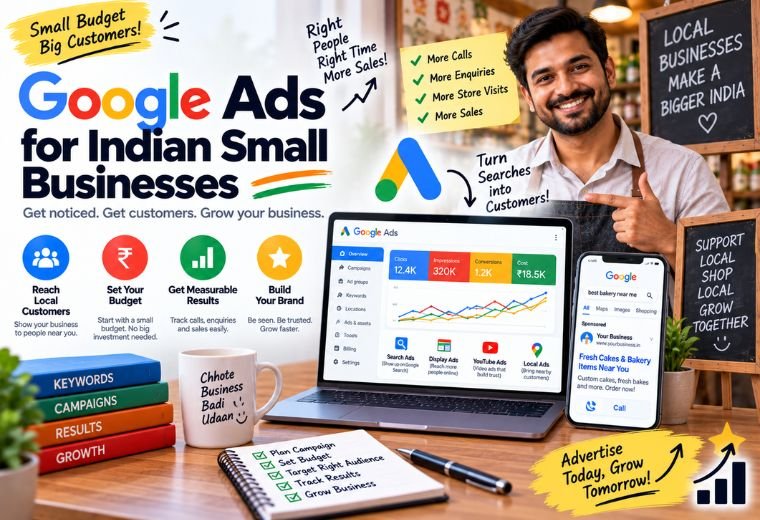
Quick Answer: Google Ads lets Indian small businesses pay to appear at the top of search results instantly. Set a daily budget in ₹, choose the right keywords, write a clear ad, and only pay when someone clicks. Results can show within days—making Google Ads one of the fastest ways to get new customers online.
Table of Contents
You’ve got a salon in Dehradun. Someone nearby types “best salon near me” into Google. Your competitor’s ad appears at the top. Yours doesn’t. They get the booking. You don’t.
That’s the gap Google Ads closes.
SEO builds long-term visibility—and it’s worth doing. But it takes months. Google Ads puts your business in front of ready-to-buy customers today. For a restaurant running a weekend special, a clinic trying to fill appointment slots, or a real estate agent chasing property leads, that speed matters.
This guide covers everything an Indian small business owner needs to know to run Google Ads without wasting money. No jargon. No guesswork. Just a practical, step-by-step breakdown of how the platform works, what it costs in ₹, and how to set up a campaign that actually brings in customers.
If you haven’t read our Digital Marketing Basics guide yet, start there. This post picks up where that one leaves off—focusing entirely on paid acquisition through Google Ads.
What Is Google Ads and How Does It Work for Indian SMBs?
Google Ads is Google’s paid advertising platform. Businesses bid on keywords—words or phrases people type into Google—and pay a small fee each time someone clicks their ad.
The ads appear at the top of Google’s search results, above the organic (unpaid) listings. They look almost identical to regular results, except for a small “Sponsored” label.
Here’s the basic flow:
- A customer searches “best dermatologist in Pune”
- Google runs an instant auction among advertisers bidding on that keyword
- Your ad wins a spot based on your bid and ad quality
- The customer sees your ad, clicks it, and lands on your website or WhatsApp
- You pay only for the click — not for appearing in results
This model is called Pay-Per-Click (PPC). You control the daily budget. You choose the keywords. You write the ad. And you only pay when someone shows genuine interest by clicking through.
For Indian small businesses with limited budgets, this control is a major advantage. A kirana store, a coaching center, or a local gym can start with ₹300–₹500 per day and scale up once they see results.
Why Google Ads Works Well for Local Indian Businesses
Most people searching Google for a local service are ready to act. They’re not browsing casually—they want a dentist, a plumber, or a place to eat. That intent is what makes Google Ads so valuable for local businesses.
Search intent is high. Someone searching “AC repair service in Jaipur” is not doing research. They need help now. A well-placed Google Ad captures that moment.
You control who sees your ads. Google lets you target by location, language, device, time of day, and more. A salon in Chandigarh can show ads only to people within 10 km. A real estate agent can target only desktop users during office hours.
Results are measurable. Every click, call, and form submission is tracked. You know exactly how much each lead costs. That’s something a newspaper ad or a pamphlet will never tell you.
The budget scales with your business. Start small, test what works, then spend more on what’s performing. There’s no minimum spend and no long-term contract with Google itself.
What Types of Google Ads Should Indian Small Businesses Use?
Google offers several ad formats. For most Indian SMBs, two types are the most practical:
Search Ads — Best for Most Local Businesses
Search ads appear when someone types a relevant keyword into Google. These are text-based and show up at the top of results. A clinic, salon, restaurant, or coaching center will get the most value here.
Use search ads when: customers are already searching for your type of service.
Local Services Ads — Best for Service Businesses
Local Services Ads (LSAs) appear above regular search ads for service businesses like plumbers, electricians, tutors, and lawyers. They show your business name, rating, and a call button directly in results. You pay per lead, not per click.
Use Local Services Ads when: you’re in a service industry and want phone calls directly from Google.
Performance Max Campaigns — Best for E-Commerce or Multi-Channel Reach
Performance Max runs your ads across Google Search, YouTube, Gmail, and Maps automatically. It’s driven by Google’s AI. Useful for D2C sellers and e-commerce businesses, but requires a clear goal and enough conversion data to work well.
For most salons, clinics, restaurants, and real estate agents starting out: stick with Search Ads first.
How to Set Up Your First Google Ads Campaign: Step by Step
Setting up Google Ads for the first time feels complicated. It’s not. Follow these steps in order.
Step 1: Create a Google Ads Account
Go to ads.google.com and sign in with your Google account. Choose your billing country as India and set your currency to INR.
Step 2: Define Your Goal
Google will ask what you want to achieve. Choose based on your business:
- Calls to your business → Clinics, salons, plumbers
- Website visits → Restaurants, coaching centers, real estate agents
- Store visits → Kirana stores, showrooms, retail shops
Pick one goal per campaign. Don’t mix them.
Step 3: Choose Your Keywords
Keywords are the search terms you want to trigger your ads. This is where most small businesses either win or waste money.
Match types matter:
- Broad match: Your ad shows for loosely related searches. Wide reach, but low precision.
- Phrase match: Your ad shows when the keyword phrase appears in the search query. More controlled.
- Exact match: Your ad shows only when someone types your exact keyword. Highest precision.
Start with phrase match and exact match. Broad match often burns budget on irrelevant clicks.
Good keywords for Indian SMBs:
- “hair salon near me”
- “dermatologist in [your city]”
- “2BHK flat for rent in [locality]”
- “tiffin service in [area]”
Use Google’s free Keyword Planner (inside Google Ads) to find search volumes and estimated costs per click in your city. You can also use NayaLogic’s LSI Keyword Generator to find related keyword ideas.
Step 4: Add Negative Keywords
Negative keywords stop your ads from showing for irrelevant searches. This is critical for protecting your budget.
A clinic advertising “skin treatment” might accidentally appear for “skin treatment home remedies” — clicks that will never convert. Adding “home remedies” as a negative keyword prevents that.
Common negative keywords for local businesses:
- free
- DIY
- how to
- jobs
- course (unless you’re a coaching center)
Step 5: Write Your Ad
Each Google Search Ad has three parts:
- Headlines (up to 15 options, Google picks the best combinations): 30 characters each
- Descriptions (up to 4 options): 90 characters each
- Final URL: The page the customer lands on after clicking
Headlines that work for Indian SMBs:
- “Book a Haircut in [City] Today”
- “Affordable Dental Clinic — [City]”
- “2BHK Flats in [Area] — Call Now”
Lead with what the customer gets. Be specific. Include your city name. Add a clear action word: Book, Call, Visit, Get.
Descriptions should support the headline with one benefit and one reason to act now:
“Experienced stylists, walk-ins welcome. Open 7 days a week. Call now and get ₹100 off your first visit.”
Step 6: Set Your Budget and Bidding Strategy
Set a daily budget in ₹. Google will never spend more than your monthly budget (daily budget × 30.4 days). Start with ₹500–₹1,000/day for testing.
For beginners, use Maximize Clicks as your bidding strategy. Once you have conversion data (at least 30–50 conversions per month), switch to Target CPA (Cost Per Acquisition) for better efficiency.
Step 7: Set Location and Schedule Targeting
Target only the areas where your customers are. A salon in Lajpat Nagar doesn’t need to show ads to people in Noida.
Set your location to a radius around your business (5–10 km for most local businesses). Schedule your ads to run during business hours — no point paying for clicks at 2 AM if your phone isn’t on.
Step 8: Launch and Monitor
Go live. Check your campaign daily for the first two weeks. Watch these numbers:
- CTR (Click-Through Rate): The percentage of people who see your ad and click it. Aim for 3–6%+ on search ads.
- CPC (Cost Per Click): What you pay per click. Varies by industry.
- Conversion Rate: Percentage of clicks that turn into calls, bookings, or form fills.
- Cost Per Lead: Total spend ÷ number of leads. This is your most important number.
Use NayaLogic’s ROI Calculator to figure out how much a lead is worth to your business—so you know how much you can afford to spend per click.
How Much Do Google Ads Cost for Indian Small Businesses?
There’s no fixed answer—costs vary by industry, city, and competition. But here are realistic ranges for Indian SMBs:
| Business Type | Estimated CPC Range (INR) | Good Daily Budget to Start |
| Salon / Spa | ₹10 – ₹40 | ₹300 – ₹700 |
| Clinic / Doctor | ₹30 – ₹120 | ₹500 – ₹1,500 |
| Restaurant / Cafe | ₹5 – ₹30 | ₹300 – ₹600 |
| Real Estate Agent | ₹50 – ₹200+ | ₹1,000 – ₹3,000 |
| Coaching Center | ₹20 – ₹80 | ₹500 – ₹1,000 |
These are estimates. Your actual costs will depend on how competitive your keyword is and how well your ad scores on relevance.
Common Google Ads Mistakes Indian SMBs Make
Most wasted ad spend comes from a small number of avoidable errors.
Sending traffic to the wrong page. Your ad says “Book a Haircut in Delhi.” The landing page is your homepage—with no booking form in sight. Customers leave. Always send ad traffic to a page that matches exactly what the ad promised.
Ignoring negative keywords. Without them, your ads appear for searches that will never convert. Review your Search Terms report weekly and add irrelevant terms as negatives.
Running ads without a clear call to action. “Visit our website” is not a call to action. “Call now and book your appointment” is. Be specific about what you want the customer to do next.
Not tracking conversions. If you can’t see which clicks turned into calls or bookings, you can’t improve your campaigns. Set up conversion tracking before you spend a rupee.
Targeting too broadly. A local business targeting all of India will burn budget fast. Stay local. Stay specific.
Google Ads vs. SEO: Which Should Indian SMBs Prioritize?
Both matter. They serve different timelines.
Choose Google Ads if you need leads within days—new clinic opening, seasonal offer, event promotion, or a slow month where you need bookings fast.
Choose SEO if you want sustainable, long-term visibility that doesn’t require constant ad spend. NayaLogic’s SEO service builds that over 3–6 months.
The practical answer for most Indian SMBs: run Google Ads now to get customers while your SEO builds in the background. Both channels working together is stronger than either alone.
If you’re in real estate, healthcare, or hospitality, check out the industry-specific guidance on NayaLogic’s Industries pages—the keyword strategies and bidding approaches differ significantly across sectors.
Start Getting Leads — Not Just Clicks
Google Ads works. But it works best when it’s set up correctly from day one. Wrong keywords, vague ads, and no conversion tracking don’t just fail—they cost you money while failing.
The steps above give you a solid foundation. Set your goal. Choose precise keywords. Write clear ads. Track every conversion. Start small, then scale what works.
If you’d rather have an expert run it for you—and get results faster without the trial and error—NayaLogic’s Google Ads management service handles everything: keyword research, ad writing, bid management, and monthly reporting. Plans start at ₹2,999/month with no setup fee.
Book a free demo and see exactly what a Google Ads campaign would look like for your business before you commit.
Frequently Asked Questions
How much should an Indian small business spend on Google Ads per month?
Most local businesses can start with ₹9,000–₹15,000 per month (roughly ₹300–₹500/day). Industries with higher-value customers, like real estate or clinics, may need ₹30,000–₹60,000/month to see meaningful lead volume. Start small, measure your cost per lead, and scale once you know what works.
How quickly will I see results from Google Ads?
Ads go live within hours of approval. Most businesses start seeing clicks and calls within 1–3 days. Unlike SEO, which takes months, Google Ads delivers results fast—making it ideal for time-sensitive promotions or new business launches.
Do I need a website to run Google Ads?
Yes. You need a landing page for people to reach after clicking your ad. If you don’t have a website yet, NayaLogic’s website development service can build one designed to convert ad traffic into leads or bookings.
What’s the difference between Google Ads and boosting a Facebook post?
Google Ads targets people actively searching for your product or service — high intent. Facebook or Instagram boosted posts reach people based on interests and demographics — they may not be looking for you right now. Both have value, but Google Ads typically converts better for immediate, need-based purchases.
Can I run Google Ads in Hindi or local languages?
Yes. Google Ads supports Hindi and other Indian languages. You can write ads in Hindi and target users who search in Hindi. This can be very effective in Tier 2 and Tier 3 cities where more users search in regional languages.
What happens if I pause or stop my Google Ads campaign?
Your ads stop showing immediately. Leads stop coming in. Unlike SEO, Google Ads visibility is tied directly to active spend—there’s no residual benefit once you pause. This is why combining Google Ads with SEO gives your business more stable, long-term results.
Is Google Ads worth it for a small shop or kirana store?
It depends on your customer acquisition goal. If you’re trying to attract new customers who are searching for products you stock, yes—especially for specific searches like “organic grocery store in [area].” For building repeat business with existing customers, WhatsApp automation is often a better tool.