
WordPress SEO: A Practical Guide to Ranking Higher on Google

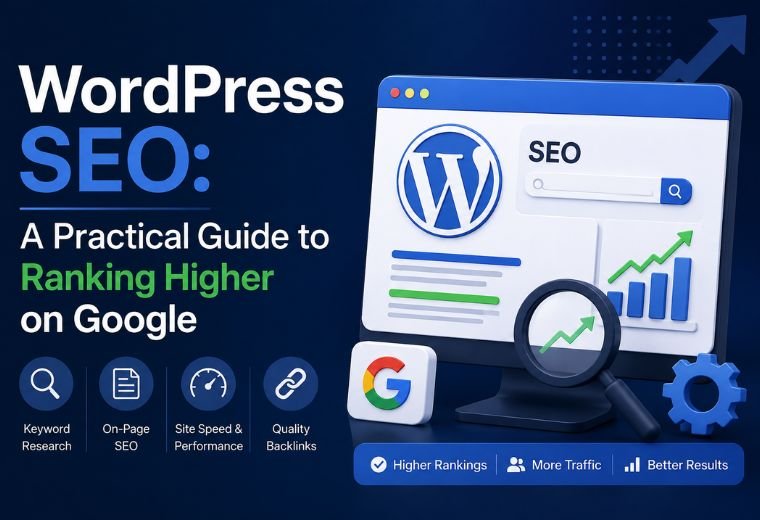
Quick answer: WordPress SEO means setting up your WordPress site so Google can find, understand, and rank your pages. It covers technical settings, keyword-focused content, fast loading, mobile-friendly design, and quality links. Done right, it brings steady, free traffic from people searching for what you sell.
Table of Contents
You built a WordPress site. It looks good. But barely anyone finds it on Google.
That’s a common problem. WordPress powers over 40% of all websites, according to W3Techs. That means your site competes with millions of others. A pretty design alone won’t get you to page one.
The gap between a WordPress site that ranks and one that doesn’t usually comes down to setup and habits. Most owners skip the basics. They never set page titles properly. They forget to compress images. They publish content nobody searches for. Each miss costs traffic — and traffic is customers.
This guide fixes that. You’ll learn what WordPress SEO is, the settings that matter, a step-by-step process to follow, and the mistakes to avoid. No coding background needed. By the end, you’ll know exactly what to do next.
What Is WordPress SEO?
WordPress SEO is the practice of optimising a WordPress website so it ranks higher in search results.
Break that down. SEO stands for Search Engine Optimization. Search Engine = Google, mostly. Optimization = making your site better so Google shows it to more people.
WordPress SEO is simply SEO applied to the WordPress platform. It uses WordPress’s built-in features, plus plugins, to handle the technical and content work that helps Google rank you.
Here’s the important part: WordPress is SEO-friendly out of the box, but not SEO-optimised. The platform gives you clean code and a solid structure. It does not write your titles, choose your keywords, or compress your images. That work is yours to do — or to hand to someone who does it for a living.
Important WordPress SEO Considerations Before You Start
Before you touch a single setting, get these fundamentals right. They shape everything that follows.
Choose a fast, well-coded theme. A heavy theme slows your site. Slow sites rank lower and lose visitors. Pick a lightweight theme like Astra, GeneratePress, or Kadence.
Pick a reliable host. Cheap shared hosting often means slow load times. For an Indian audience, choose a host with servers in or near India to cut loading delays.
Install one SEO plugin — not five. Rank Math and Yoast SEO are the two most popular. Both handle titles, meta descriptions, sitemaps, and more. Pick one. Running several creates conflicts.
Decide your permalink structure early. A permalink is your page’s web address. Set WordPress to use the “Post name” structure so your URLs read cleanly, like yoursite.com/wordpress-seo instead of yoursite.com/?p=123.
Plan for mobile. Most Indian users browse on phones. Google ranks the mobile version of your site first. If it doesn’t work well on a phone, your rankings suffer.
Step-by-Step WordPress SEO Process
Follow these steps in order. Each one builds on the last.
Step 1: Install and configure an SEO plugin
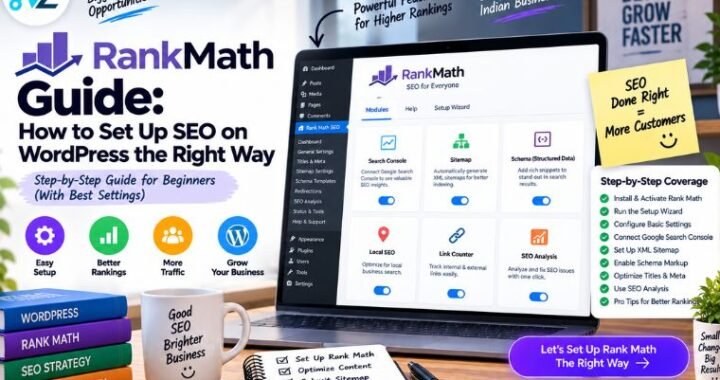
Install Rank Math or Yoast SEO. Run its setup wizard. Connect your site to Google Search Console — a free Google tool that shows how your site performs in search. The plugin walks you through it.
Step 2: Set your titles and meta descriptions
Every page needs a title tag and a meta description.
- Title tag: the clickable headline in search results. Keep it under 60 characters. Include your main keyword.
- Meta description: the short summary below the title. Keep it under 155 characters. Write it to make people click.
Your SEO plugin lets you edit both for every page and post.
Step 3: Do keyword research
A keyword is the phrase people type into Google. You want to target phrases your customers actually search.
Use free tools like Google Keyword Planner or Google’s own autocomplete suggestions. Aim for specific phrases with clear intent. “WordPress SEO agency in Dehradun” beats “SEO” every time — it has less competition and attracts buyers, not browsers.
Step 4: Write helpful, structured content
Google rewards content that answers questions well. So write for your reader first.
- Use one H1 (your main title) per page.
- Break content with H2 and H3 subheadings.
- Put your main keyword in the first paragraph.
- Answer the question directly and early.
- Aim for clear, short sentences.
Step 5: Optimise your images
Large images slow your site. Fix that before you upload.
- Compress every image with a plugin like Smush or ShortPixel.
- Rename files descriptively — dehradun-cafe-interior.jpg, not IMG_4821.jpg.
- Add alt text to every image. Alt text describes the image for Google and for visually impaired users.
Step 6: Improve site speed
A fast site ranks better and keeps visitors around.
- Install a caching plugin like WP Rocket or LiteSpeed Cache.
- Compress images (Step 5).
- Remove plugins you don’t use.
- Test your speed with Google PageSpeed Insights — a free tool that scores your site and lists fixes.
Step 7: Build internal links
An internal link points from one page on your site to another. It helps Google understand your site and keeps visitors reading.
Link related posts to each other. Link your blog posts to your service pages. Use clear, descriptive link text.
Step 8: Set up an XML sitemap and submit it
A sitemap is a list of all your pages. It tells Google what to crawl.
Your SEO plugin creates one automatically. Submit it to Google Search Console so Google finds your pages faster.
Step 9: Earn backlinks
A backlink is a link from another website to yours. Google treats each quality backlink as a vote of confidence.
Earn them by publishing content worth linking to, listing your business in local directories, and building relationships with other site owners in your industry.
Step 10: Track and adjust
SEO is not set-and-forget. Check Google Search Console monthly. See which pages bring traffic. Update old posts. Fix pages that drop.
WordPress SEO Checklist at a Glance
Use this table as a quick reference. It sorts each task by area, effort, and impact.
| SEO Task | Area | Effort | Impact |
| Install one SEO plugin | Technical | Low | High |
| Set titles and meta descriptions | On-page | Low | High |
| Keyword research | Content | Medium | High |
| Write structured content | Content | High | High |
| Compress and tag images | On-page | Low | Medium |
| Install caching plugin | Technical | Low | High |
| Build internal links | On-page | Low | Medium |
| Submit XML sitemap | Technical | Low | Medium |
| Earn backlinks | Off-page | High | High |
| Track in Search Console | Ongoing | Low | High |
Benefits of Optimising WordPress for SEO
Good SEO changes how customers find you. Here’s what you gain.
Free, steady traffic. Paid ads stop the moment you stop paying. SEO traffic keeps coming. Rank well for a keyword and you earn visitors month after month.
More qualified leads. Someone searching “wedding photographer in Dehradun” wants exactly what that photographer sells. SEO puts you in front of people ready to buy.
Lower cost per customer over time. SEO takes effort upfront. But once you rank, each new visitor costs almost nothing. Compare that to ads, where every click has a price.
Stronger credibility. People trust Google’s top results. Ranking high signals that your business is legitimate and established.
A round-the-clock salesperson. Your ranked pages work while you sleep. Someone in Dehradun searches at 11 p.m. and finds you. That’s a lead you didn’t lift a finger for.
Common WordPress SEO Mistakes to Avoid
These errors quietly drain your rankings. Check your site against each one.
Ignoring page speed. A site that takes five seconds to load loses visitors and rankings. Test it. Fix it.
Skipping meta titles and descriptions. Leave them blank and Google guesses — often badly. Write your own for every page.
Keyword stuffing. Cramming the same phrase in twenty times reads badly and Google penalises it. Write naturally.
Publishing thin content. A 200-word page rarely ranks. Cover your topic properly and answer real questions.
Forgetting mobile users. If your site frustrates phone users, you lose most of your Indian audience. Test on a real phone.
Installing too many plugins. Each plugin adds weight and risk. Keep only what you need.
Never updating old content. Content decays. A post that ranked last year can slip. Refresh your best pages regularly.
How NayaLogic Can Help
Doing all of this yourself takes time — often 10 to 15 hours a month, every month. Most business owners in Dehradun and across Uttarakhand don’t have those hours to spare.
That’s where NayaLogic comes in. We’re a digital growth agency based in Dehradun, and SEO is one of our core services. We handle the technical setup, keyword research, content structure, and ongoing tracking so you can run your business.
Our work doesn’t stop at SEO. We also offer website development, Google Ads, social media marketing, and Google Business Profile optimisation — the local listing that helps customers find you on Google Maps. For businesses that want to automate customer replies and bookings, we build AI and WhatsApp automation too.
You don’t need technical knowledge to get started. We explain every step in plain language and support both Hindi and English.
Start Ranking Where Your Customers Search
SEO works. It’s not magic — it’s a system. Set up your WordPress site properly, target the right keywords, keep your content helpful, and Google will send you customers month after month.
Your competitors are already doing it. The sooner you start, the sooner you pull ahead.
Want it handled by people who do this every day? Book a free demo with NayaLogic and see exactly how we’d grow your traffic.
Frequently Asked Questions
How long does WordPress SEO take to show results?
Most sites see meaningful movement in three to six months. New sites take longer because Google needs time to trust them. Competitive keywords take longer still. SEO is a steady build, not an overnight fix.
Do I need a paid SEO plugin for WordPress?
No. The free versions of Rank Math and Yoast SEO cover the essentials — titles, meta descriptions, sitemaps, and readability checks. Paid versions add extras like advanced keyword tracking, but you can rank well without them.
Is WordPress good for SEO compared to other platforms?
Yes. WordPress gives you clean code, full control over your content, thousands of SEO plugins, and an easy way to publish. It’s one of the most SEO-friendly platforms available, which is part of why it powers over 40% of the web.
Can I do WordPress SEO myself without hiring an agency?
You can. This guide covers the core steps, and the tools are beginner-friendly. The real question is time. If you’d rather spend your hours running your business, hiring an agency like NayaLogic frees you to do that.
How much does WordPress SEO cost in India?
It depends on your goals and competition. Doing it yourself costs only your time plus optional plugin fees. Hiring an agency costs more but saves hours and usually delivers faster results. For an exact quote based on your business, book a free demo with NayaLogic.
What’s the single most important WordPress SEO task?
Publishing helpful content that targets what your customers search for. Technical settings matter, but content is what Google ranks. Get the content right and everything else supports it.