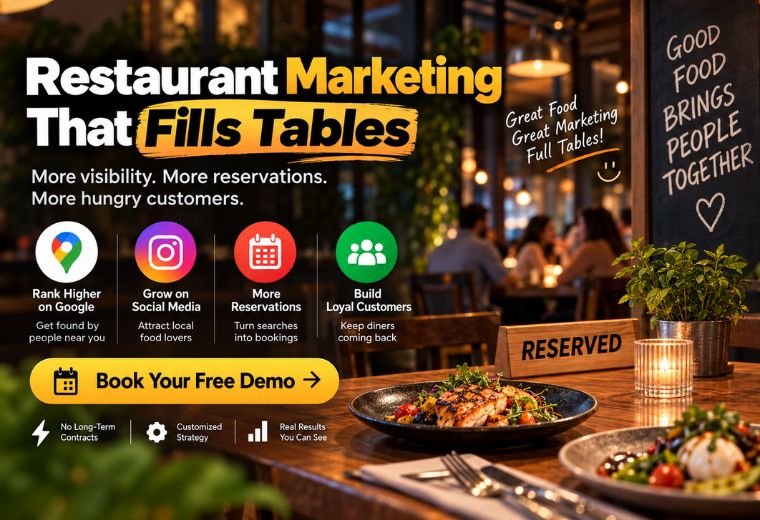
Restaurant Marketing That Fills Tables — A Practical Guide for Indian Owners

Quick Answer: Indian restaurant and café owners can attract more customers and increase orders by combining Google Business Profile optimization, WhatsApp automation, Instagram Reels, local SEO, and targeted Google Ads. Each channel plays a specific role — from getting found online to converting visitors into regulars. This guide covers all of them, step by step.
Table of Contents
Running a restaurant in India is demanding. You manage the kitchen, train your staff, handle deliveries, and deal with suppliers — all before noon. Marketing often falls to the bottom of the list. The result? A great restaurant that not everyone knows about.
The good news: you do not need a dedicated marketing team or a large budget to fill more seats. You need the right digital channels, set up correctly, working together. A customer searches “best biryani near me” on Google, finds your listing, sends a WhatsApp message to reserve a table, and then tags your restaurant on Instagram after their visit. That is the full loop — and it is achievable for any restaurant, regardless of size.
This guide breaks down exactly how to build that loop. From your Google Business Profile to WhatsApp automation, Instagram content to paid ads, every strategy here is practical, affordable, and built for Indian restaurant owners managing their own marketing.
Why Most Indian Restaurants Struggle to Get Found Online
Most restaurants in India have one or two things in place — maybe a Zomato listing or an Instagram page they post on occasionally. The problem is that disconnected channels do not compound. A great Instagram page with no Google presence means you miss everyone who searches locally. A Google listing with no reviews means customers choose the competitor with 200 ratings instead.
Digital marketing works when the channels support each other. Your Google Business Profile drives local discovery. Your Instagram builds appetite and trust. Your WhatsApp automation converts interest into bookings. Your Google Ads fill gaps when organic reach is not enough. Miss one, and the system has a hole in it.
The sections below cover each channel. Start with Google Business Profile — it is free, high-impact, and takes less than an hour to set up properly.
How to Optimize Your Google Business Profile for More Local Customers
Quick answer: A complete, regularly updated Google Business Profile makes your restaurant appear in “near me” searches and Google Maps results. Add photos, collect reviews, and post weekly updates to outrank competitors in your area.
Your Google Business Profile (GBP) is the single most important free marketing tool available to a restaurant. When someone searches “café in Dehradun” or “pizza near me,” Google shows a map with three local listings. Those three spots go to businesses with complete, active profiles.
Here is what a well-optimized profile includes:
- Complete information: Name, address, phone number, opening hours, website link, and WhatsApp number. Every field filled.
- Category selection: Choose your primary category carefully — “Restaurant,” “Café,” “Biryani Restaurant” — this directly affects which searches you appear in.
- Menu upload: Add your actual menu with prices. Customers can see dishes before they visit, which increases the chance they will come.
- Photos: Upload at least 15 to 20 high-quality photos — food, interiors, staff, plating. Listings with photos receive significantly more direction requests and clicks.
- Google Posts: Use the Posts feature to share weekly updates, special offers, or new dishes. Active profiles rank higher than inactive ones.
- Review responses: Reply to every review — positive or negative. A polite, professional response to a negative review builds more trust than ignoring it. Use NayaLogic’s free Google Review Reply Generator to draft responses quickly.
Need help managing your Google Business Profile consistently? NayaLogic’s Google Business Profile service handles optimization and ongoing management for you.
What Is Local SEO for Restaurants — and Why Does It Matter?
Quick answer: Local SEO helps your restaurant rank in Google search results when people nearby search for food. It involves your Google Business Profile, your website content, and the consistency of your business information across the web.
Local SEO is different from general SEO. You are not trying to rank globally. You want to appear when someone in your city or neighbourhood searches for what you serve.
Three things drive local SEO for restaurants:
1. Consistent NAP data
NAP stands for Name, Address, Phone number. Your business details must be identical everywhere — Google, Zomato, Swiggy, Justdial, your website. Even small differences (like “Road” vs “Rd”) can hurt your local ranking.
2. Location-based keywords on your website
If you run a South Indian restaurant in Bangalore, your website should mention “South Indian restaurant in Indiranagar, Bangalore” naturally within your page content and page titles. Use NayaLogic’s free LSI Keyword Generator to find the right variations.
3. Google reviews
Restaurants with more positive, recent reviews rank higher in local results. Actively ask happy customers to leave a review — train your staff to mention it after a good meal. A short WhatsApp message after a visit with a review link works well too.
How to Use WhatsApp Automation to Handle Reservations and Orders
Quick answer: WhatsApp automation lets your restaurant reply instantly to customer messages, confirm table bookings, send order updates, and collect feedback — all without manual effort from your team.
WhatsApp is where Indian customers are most comfortable. They already use it daily. When a customer wants to book a table, their first instinct is to send a WhatsApp message — not fill out a web form.
The problem: if no one replies within a few minutes, they book somewhere else. WhatsApp automation solves that.
Here is how a basic WhatsApp automation flow works for a restaurant:
- Customer sends a message: “Do you have a table for 4 on Saturday evening?”
- Automated reply sends instantly: “Yes! We have availability. Please share your preferred time and name.”
- Customer confirms details.
- Automated message confirms the booking with address, timing, and a special offer (e.g., “Show this message for a complimentary dessert”).
- Reminder message sent 2 hours before the reservation — zero no-shows.
The same system works for takeaway orders, delivery updates, and post-visit feedback collection. One automated flow, running 24/7, replacing hours of manual WhatsApp replies every week.
Add a WhatsApp link to your Google Business Profile, Instagram bio, and website so customers can reach you in one tap. Build yours in seconds with the free WhatsApp Link Generator.
For full setup and management, NayaLogic’s WhatsApp Automation service builds the entire flow for your restaurant — bookings, reminders, order updates, and follow-ups — starting at ₹2,999/month with no setup fee.
How to Grow Your Restaurant on Instagram With Reels and Food Content
Quick answer: Instagram Reels showing food preparation, plating, and behind-the-scenes moments drive discovery and appetite. Post consistently, use local hashtags, and respond to every comment to build a loyal following.
Instagram is a food-first platform. A well-filmed plate of daal makhani or a pour of cutting chai can reach thousands of people in your city without any ad spend. Reels — short videos up to 90 seconds — get significantly more reach than static photos on Instagram today.
What works for restaurant Instagram content:
- Food in motion: Steam rising from a dish, cheese pulling, curry being poured. These perform consistently well.
- Process videos: Show how a dish is made — from prep to plate. Audiences trust what they can see being made.
- Before-and-after plating: Simple, satisfying, and highly shareable.
- Customer moments: With permission, share real customer reactions or birthday celebrations at your restaurant.
- Festive and seasonal content: Create content tied to Diwali, Eid, Holi, or local festivals. These get shared widely.
Post three to four times a week. Use a mix of Reels, Stories, and static posts. For hashtags, mix broad tags (#IndianFood, #FoodPhotography) with local ones (#DehradunEats, #MumbaiRestaurants). Find the best hashtags for your city with NayaLogic’s free Hashtag Generator.
Consistency matters more than perfection. A phone camera with good lighting beats no content at all. If managing Instagram feels like too much alongside running the restaurant, NayaLogic’s Social Media Marketing service handles content creation and scheduling for you.
Should Indian Restaurants Run Google Ads — and How?
Quick answer: Google Ads work well for restaurants that want immediate visibility for high-intent searches like “restaurant near me” or “order biryani online.” Run location-targeted campaigns with a modest daily budget to drive calls, direction requests, and orders.
Google Ads put your restaurant at the top of search results immediately. Unlike SEO, which builds over months, a Google Ads campaign can send customers to your listing the same day it goes live.
For restaurants, the most effective Google Ads formats are:
- Search Ads: Appear when someone searches “best pizza in [your city]” or “restaurant open now near me.” These capture customers who are ready to eat — right now.
- Call Ads: Show your phone number directly in search results. One tap connects a hungry customer to your front desk.
- Location targeting: Only show ads to people within 3 to 10 kilometres of your restaurant. No wasted spend on people who will never visit.
A practical budget for a small restaurant is ₹200 to ₹500 per day. Track which keywords drive calls and reservations, and cut the ones that do not.
Google Ads can waste money fast without proper setup. If you want campaigns that convert, NayaLogic manages Google Ads for Indian restaurants — from keyword selection to bid management to monthly reporting.
How to Set Up Online Ordering and Reservation Management
Quick answer: Add an online ordering option to your Google Business Profile, website, and WhatsApp. Integrate with Swiggy and Zomato for delivery, and use WhatsApp automation for table reservations to reduce no-shows and missed bookings.
Customers want to order or book without making a phone call. Give them that option and you will capture orders you are currently missing.
Here is a practical setup for a small Indian restaurant:
- Zomato and Swiggy: List your restaurant on both platforms if you offer delivery. Optimize your menu with clear photos and accurate item descriptions — the photo is what drives the order.
- Google Business Profile ordering link: Google allows you to add an ordering link directly to your listing. When someone finds you on Maps, they can order in two taps.
- WhatsApp reservations: Set up an automated WhatsApp flow for table bookings (covered in detail above). Send a confirmation message immediately and a reminder two hours before the booking.
- Your own website: Even a simple one-page website with your menu, address, and WhatsApp booking button beats having no web presence. Customers look you up before they visit.
The goal is zero friction between a customer’s decision to visit and their confirmed booking or order.
What Are the Best Marketing Channels for a Small Indian Restaurant?
The right combination depends on your goals:
| Goal | Best Channel |
| Get found locally | Google Business Profile + Local SEO |
| Build brand awareness | Instagram Reels + consistent posting |
| Drive immediate bookings | Google Ads + WhatsApp Automation |
| Increase repeat customers | WhatsApp follow-ups + exclusive offers |
| Manage online orders | Zomato/Swiggy + website ordering link |
Start with Google Business Profile and WhatsApp automation — both are high-impact and low-cost. Add Instagram content once you have a weekly rhythm. Consider Google Ads when you want to accelerate results or fill slow periods.
Start Getting More Customers — Without the Guesswork
You do not need to run all of these channels at once. Pick the two or three that fit your current situation and build from there. Google Business Profile first. WhatsApp automation second. Instagram third. Google Ads when you are ready to scale.
Every channel covered in this guide works for Indian restaurants and cafés of all sizes — from a small dhaba in Haridwar to a multi-outlet café chain in Pune. The strategies are the same. The execution scales with your budget.
NayaLogic helps Indian restaurant owners set up and manage all of these channels under one roof. Plans start at ₹2,999/month with no setup fee. Book a free demo and see exactly what the system looks like for your restaurant.
Frequently Asked Questions
How do I get my restaurant to appear in Google Maps “near me” searches?
Claim and complete your Google Business Profile. Add your correct address, category, opening hours, phone number, photos, and menu. Ask customers to leave Google reviews regularly. Active, complete profiles with recent reviews rank highest in local map results.
Is WhatsApp marketing legal for restaurant marketing in India?
Yes — with conditions. You can message customers who have opted in to receive communications from your business. Using WhatsApp Business API (which NayaLogic uses) ensures you stay compliant with Meta’s messaging policies. Avoid sending bulk promotional messages to contacts who have not opted in.
How much should a small restaurant spend on Google Ads per month?
A daily budget of ₹200 to ₹500 (roughly ₹6,000 to ₹15,000 per month) is a practical starting point for most small Indian restaurants. Spend depends on your city, competition level, and target keywords. The key is to track which searches lead to actual calls or orders — and adjust from there.
What type of Instagram content works best for Indian restaurants?
Short video Reels showing food being prepared, plated, or served perform best. Behind-the-scenes kitchen content and customer celebration moments also do well. Post three to four times a week, use local city hashtags, and reply to every comment. Consistency outperforms occasional viral attempts.
Do I need a website if I am already on Zomato and Swiggy?
A website adds credibility and gives you a direct channel that Zomato and Swiggy do not — one where you keep 100% of the transaction without paying a commission. Even a simple one-page website with your menu, photos, location, and WhatsApp booking button can meaningfully increase direct orders and reservations.
How long does it take to see results from local SEO for a restaurant?
Improvements to your Google Business Profile can show results within two to four weeks — especially in terms of appearing in map results more often. Broader local SEO improvements, including website content and link signals, typically take three to six months to move rankings noticeably.