
How to Reply to Google Reviews (With Templates for Indian Small Businesses)

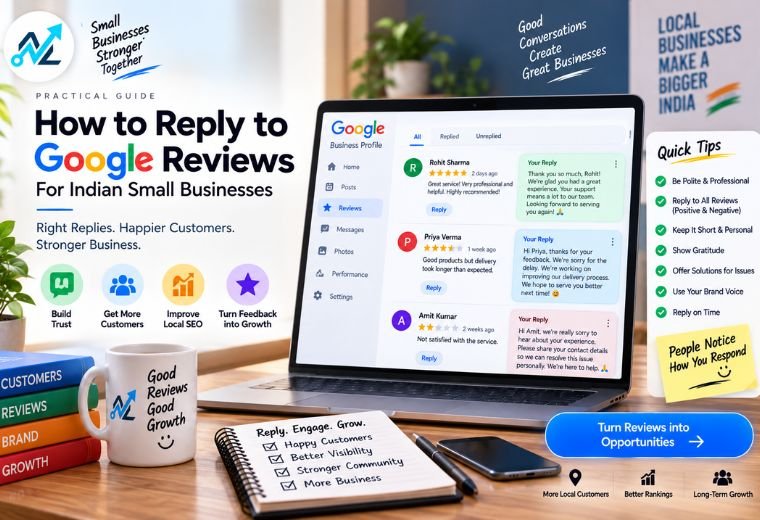
Quick answer: Replying to Google reviews builds trust, improves your local search ranking, and shows potential customers you care. For positive reviews, thank the customer and reinforce what they praised. For negative reviews, stay calm, apologize, and offer a fix. For fake reviews, flag them through Google and respond professionally without engaging emotionally.
Table of Contents
A customer leaves you a 1-star review on Google. They’re upset. Maybe their order was late. Maybe there was a miscommunication. Now thousands of people searching for your business will see it.
What you do next matters more than the review itself.
Replying to Google reviews is one of the simplest things an Indian small business owner can do to build trust online. A salon in Dehradun, a clinic in Pune, a kirana store in Bengaluru — it doesn’t matter what you run. People read reviews before they walk through your door. They also read the replies.
Google has confirmed that responding to reviews is a factor in local search rankings. That means replying isn’t just good for customer relationships. It directly supports your Google Business Profile and helps you show up higher on Google Maps when someone nearby searches for your service.
This guide covers exactly how to reply to three types of reviews: positive, negative, and fake. You’ll get ready-to-use templates for real Indian business scenarios, plus a free tool to generate replies instantly.
Why Replying to Google Reviews Matters for Indian Small Businesses
Most small business owners check their Google reviews occasionally. Few reply consistently. That gap is your opportunity.
Here’s what happens when you reply:
- Potential customers see you’re active and responsive
- Google treats your profile as more engaged, which can improve local rankings
- Unhappy customers sometimes revise or remove negative reviews after a good response
- Your business builds a visible track record of professionalism
For businesses like salons, restaurants, clinics, and kirana stores that rely on repeat, local customers, trust is everything. Reviews are public proof of that trust. Replies are your voice in that conversation.
If managing your Google Business Profile feels overwhelming, explore NayaLogic’s Google Business Profile service to get expert help with your full local presence.
How to Reply to Positive Reviews (With Templates)
Positive reviews are easy to ignore because there’s no fire to put out. Don’t ignore them.
A quick, genuine reply to a 5-star review does three things. It makes that customer feel valued. It signals to other readers that you care. And it gives you a chance to naturally reinforce what your business does well.
What to include in a positive review reply:
- A genuine thank-you using their name if possible
- A specific reference to what they mentioned
- A short, warm closing that invites them back
What to avoid:
- Copy-pasting the same reply to every review (Google can detect this, and customers notice too)
- Generic responses like “Thank you for your feedback!” with nothing personal added
- Overlong paragraphs that feel like a press release
Positive Review Reply Templates
For a restaurant or café:
Thank you so much, [Name]! We’re really happy you enjoyed the [dish they mentioned]. Our team puts a lot of care into every plate, and it means a lot to hear that. Looking forward to having you back at [Restaurant Name] soon!
For a salon or spa:
Thank you, [Name]! So glad [staff name or the service] made you feel great. That’s exactly the experience we want every customer to have. We’d love to see you again — feel free to book your next appointment anytime!
For a clinic or doctor’s office:
Thank you for your kind words, [Name]. We’re glad your visit went smoothly and that you felt comfortable. Your health is our priority, and feedback like yours keeps our team motivated. Take care!
For a kirana store or retail shop:
Thank you, [Name]! Hearing this makes our day. We work hard to keep everything fresh and available for our local customers. See you again soon!
How to Reply to Negative Reviews (With Templates)
A negative review feels personal. It isn’t — at least, it shouldn’t be handled that way.
The way you respond to a bad review says more about your business than the review itself. A calm, professional, solution-focused reply can convert an unhappy reader into a paying customer.
The right approach, step by step:
- Acknowledge — Start by thanking them for the feedback and acknowledging their experience
- Apologize — Offer a genuine apology for the inconvenience, even if you disagree with the details
- Act — Offer a clear next step: a refund, a call, a replacement, a follow-up
- Take it offline — Provide contact details so the conversation continues privately
Never argue in a Google review reply. Never name other staff in a blaming way. Never say “but” after an apology — it cancels the apology entirely.
Negative Review Reply Templates
For a restaurant (wrong order / food quality complaint):
Thank you for sharing this, [Name]. We’re sorry to hear your experience didn’t meet your expectations — that’s not the standard we hold ourselves to at [Restaurant Name]. We’d love to make it right. Please reach out to us at [phone/email] so we can sort this out for you directly.
For a salon (service dissatisfaction):
We’re sorry to hear you left feeling disappointed, [Name]. Every customer deserves to walk out happy, and it sounds like we missed that mark with your visit. Please call us at [phone] — we’d like to understand what happened and offer a solution.
For a clinic (wait time or staff behavior):
Thank you for your feedback, [Name]. We understand that long wait times can be frustrating, and we sincerely apologize for the inconvenience. We are working to improve our scheduling. Please contact us at [email/phone] — your experience matters to us and we’d like to speak with you directly.
For a kirana store (wrong item / pricing issue):
We’re really sorry about this, [Name]. This is not how we want our customers to feel. Please visit us or call at [phone] — we’ll resolve this immediately. Thank you for letting us know so we can do better.
How to Handle Fake or Unfair Google Reviews
Fake reviews happen. A competitor, a personal grudge, or a bot can leave a 1-star review with false information. It’s frustrating — and you can’t just delete it yourself.
Here’s what to do:
Step 1: Check if It Violates Google’s Policies
Google removes reviews that contain spam, fake content, harassment, or conflicts of interest. Read Google’s review policies and compare the review against them.
Step 2: Flag the Review
Go to your Google Business Profile. Find the review. Click the three-dot menu next to it and select “Report review.” Choose the appropriate reason and submit.
Step 3: Respond Professionally While You Wait
Don’t attack the reviewer. Don’t accuse them publicly of being fake. Instead, reply calmly to show future readers you take your reputation seriously.
Fake review reply template:
Thank you for taking the time to leave a review. We’ve checked our records but cannot find any visit or transaction matching your details. We take all feedback seriously — please reach out to us at [phone/email] so we can look into this further. We’re committed to making every customer experience a positive one.
Step 4: Follow Up with Google if Needed
If Google doesn’t remove the review quickly, you can escalate through Google Business Profile support. Document everything. It takes time, but persistence pays off.
Save Time: Use the Free Google Review Reply Generator
Writing individual replies for every review takes time you probably don’t have. NayaLogic’s free Google Review Reply Generator lets you paste a review, choose the tone, and get a professional reply in seconds.
It’s free. No login required. Built for Indian small businesses.
Use it alongside this guide to build a consistent, professional review response habit.
Common Mistakes to Avoid When Replying to Reviews
Small errors in review replies can damage trust. Avoid these:
- Replying in bulk with one generic response — customers notice, and Google may penalize repetitive engagement patterns
- Responding emotionally to a negative review — take 24 hours before replying if you’re upset
- Ignoring reviews altogether — a profile with zero responses signals an absent owner
- Over-promising in a reply — don’t publicly commit to a refund or action you can’t deliver
- Using overly formal language — replies that sound like legal disclaimers feel cold and off-putting to local customers
Build a Stronger Google Presence Beyond Reviews
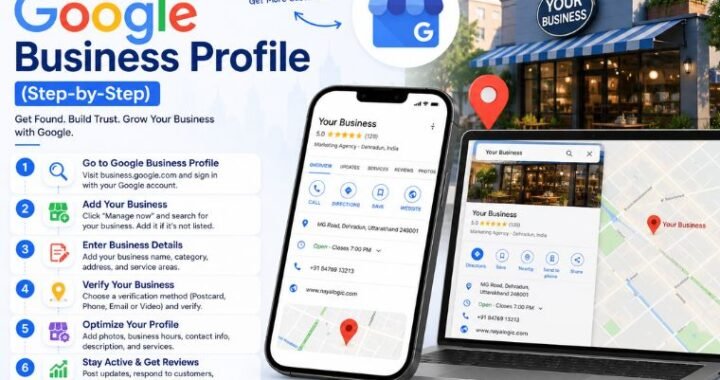
Replying to reviews is one part of a wider local SEO strategy. Your Google Business Profile also needs accurate information, updated photos, regular posts, and proper category setup to perform well on Google Maps.
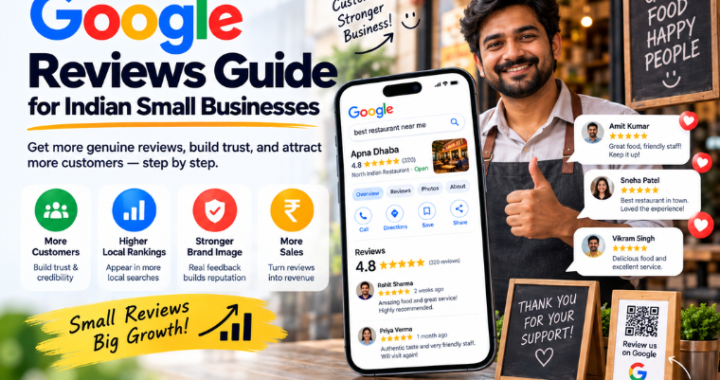
Read our Google Reviews Guide and GBP Setup Guide to cover those areas next. If you want your profile fully set up and optimized without doing it yourself, see how NayaLogic helps salons, restaurants, and clinics grow their local presence.
Start Treating Reviews as a Business Asset
Every reply you write is public. It builds — or damages — your reputation one response at a time.
Positive reviews, well-handled negative reviews, and professionally flagged fakes all contribute to a profile that customers trust. That trust turns into visits, bookings, and sales.
Start with the free Google Review Reply Generator to make replying faster. Then, if you want expert help managing your full Google Business Profile, book a free demo with NayaLogic. No setup fee. No pressure. Just a clear look at what’s possible for your business.
Frequently Asked Questions
Does replying to Google reviews help with SEO?
Yes. Google has confirmed that responding to reviews signals engagement and is a factor in local search ranking. Active profiles with consistent replies tend to perform better on Google Maps.
How quickly should I reply to a Google review?
Reply within 24–48 hours. Fast responses show customers you’re attentive. For negative reviews, a quick, calm reply can prevent the situation from escalating further.
Can I delete a negative Google review?
No. Business owners cannot delete reviews directly. You can flag a review that violates Google’s policies, and Google may remove it after review. You can also respond to the review to provide context.
What should I do if I don’t know who left the review?
Ask politely in your reply. Something like: “We’d love to connect and understand your experience better — please reach out at [contact details].” This shows good faith without escalating.
How do I get more positive Google reviews?
Ask satisfied customers directly — after a meal, a haircut, a medical visit. Make it easy by sharing your Google review link via WhatsApp. NayaLogic’s WhatsApp Automation can send review request messages automatically after a visit or purchase.
Is it okay to offer a discount in exchange for a positive review?
No. Google prohibits incentivized reviews. Offering discounts or gifts in exchange for reviews violates their policies and can get reviews removed — or your profile penalized.
What if a competitor is leaving fake reviews on my profile?
Flag the reviews through your Google Business Profile. Document evidence if possible. Reply professionally to each flagged review while your report is pending. Contact Google Business Profile support if the issue persists.