

Rank Math Guide: How to Set Up SEO on WordPress the Right Way

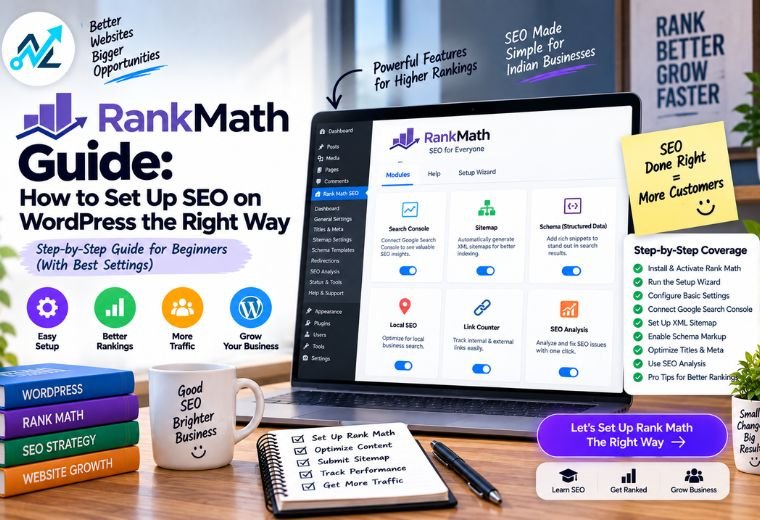
Most small business owners in India install an SEO plugin and stop there. Few actually set it up. That gap keeps thousands of good websites buried on page five of Google, where nobody looks.
Rank Math is one of the most popular SEO plugins for WordPress. Install it in two minutes. But an installed plugin does nothing on its own. It needs a proper setup — the right settings, a connected Google account, and a focus keyword on every page.
Skip that setup and you waste the plugin’s real power. Your pages stay invisible. Your competitor in Dehradun, who set theirs up properly, shows up first. That’s a customer you lost before you even knew they were searching.
This Rank Math guide fixes that. You’ll learn what Rank Math does, how the free and Pro versions compare, a step-by-step setup you can follow today, and the mistakes that quietly hold sites back. No coding needed.
Quick answer: Rank Math is a free SEO plugin for WordPress. It handles page titles, meta descriptions, XML sitemaps, schema markup, and local SEO from one dashboard. The free version covers most small business needs. Rank Math Pro (from around ₹5,500 per year) adds advanced keyword tracking and more schema types. Run the setup wizard first, connect Google Search Console, then set a focus keyword on every page.
Table of Contents
What Is Rank Math?
Rank Math is a search engine optimisation plugin for WordPress.
Break that down. SEO stands for Search Engine Optimization — making your site better so Google shows it to more people. A plugin is an add-on that gives your WordPress site a new ability. So Rank Math is an add-on that handles the settings Google looks for when it decides how to rank you.
WordPress does not do this on its own. It gives you clean pages, but it does not write your page titles, build a sitemap, or add schema markup. Rank Math does all of that from one screen.
Here’s what it manages for you:
- Page titles and meta descriptions — the headline and summary people see in Google results.
- XML sitemap — a list of your pages that helps Google find them.
- Schema markup — extra code that helps Google understand what your page is about.
- Focus keyword analysis — a live score that tells you how well a page targets a keyword.
- Local SEO settings — details that help customers near you find your business.
The key takeaway: Rank Math puts the technical parts of SEO into a dashboard you can actually understand. You don’t need a developer to use it.
Rank Math Free vs Pro: Which Do You Need?
Rank Math comes in two versions. The free one is generous. Pro adds tools for businesses that want deeper control.
Here’s the honest comparison.
| Feature | Rank Math Free | Rank Math Pro |
| Titles and meta descriptions | Yes | Yes |
| XML sitemap | Yes | Yes |
| Focus keywords per page | Up to 5 | Unlimited |
| Basic schema markup | Yes | Advanced types |
| Local SEO (single location) | Yes | Multiple locations |
| Google Search Console link | Yes | Yes |
| Keyword rank tracking | No | Yes |
| Google Analytics in dashboard | Limited | Full |
| Price (approx.) | Free | From ₹5,500/year |
| Best for | Small business sites | Growing sites, agencies |
The key takeaway: start with Rank Math Free. It covers titles, sitemaps, schema, and single-location local SEO — enough for a clinic, salon, or coaching centre. Upgrade to Pro only when you need to track your keyword positions or run several business locations. Don’t pay for features you won’t use yet.
Step-by-Step Rank Math Setup Guide
Follow these steps in order. Each one builds on the last. You’ll have Rank Math working properly by the end.
Step 1: Install Rank Math
Log in to your WordPress dashboard. Go to Plugins, then Add New. Search for “Rank Math SEO.” Click Install, then Activate. The free version is now live.
One rule: never run two SEO plugins at once. If you have Yoast installed, deactivate it first. Two SEO plugins fight each other and confuse Google.
Step 2: Run the setup wizard
After activating, Rank Math opens a setup wizard. It walks you through the basics in a few clicks — choosing “Easy” mode for beginners, entering your business name, and adding your logo.
Pick Easy mode. It sets sensible defaults so you don’t have to guess.
Step 3: Connect Google Search Console
Google Search Console is a free Google tool that shows how your site performs in search — which pages get clicks, which keywords bring visitors, and any errors Google finds.
The wizard prompts you to connect it. Sign in with your Google account and approve access. This link lets Rank Math pull your search data straight into your WordPress dashboard.
Step 4: Set your business type for local SEO
In the wizard, tell Rank Math whether you’re a local business or a person/organisation. Choose local business if customers visit you or you serve a specific area.
Add your business name, address, and phone number. This feeds your local SEO — the settings that help nearby customers find you on Google.
Step 5: Enable the XML sitemap
Rank Math builds your sitemap automatically. Confirm it’s switched on in the wizard. Your sitemap sits at a web address like yoursite.com/sitemap_index.xml.
Copy that address and submit it inside Google Search Console. This tells Google to crawl all your pages faster.
Step 6: Set a focus keyword on a page
Open any page or post. Scroll below the editor to the Rank Math box. Type your focus keyword — the phrase you want that page to rank for, like “dentist in Dehradun.”
Rank Math scores the page out of 100 and lists fixes: add the keyword to your title, use it in the first paragraph, keep the content long enough. Work through the list until your score climbs.
Step 7: Write your title and meta description
In the same box, edit the title tag and meta description.
- Title tag: the clickable headline in Google. Keep it under 60 characters. Include your focus keyword.
- Meta description: the summary below it. Keep it under 155 characters. Write it to make people click.
Do this for every important page. Leave them blank and Google guesses — often badly.
Step 8: Publish and check
Publish the page. Then check it on a phone, because most Indian visitors browse on mobile. Confirm the title and description look right in a Google search a few days later.
That’s the loop: focus keyword, fix the score, write the title, publish. Repeat it for every page.
Key Rank Math Features You Should Use
Rank Math packs a lot into its free version. These four features matter most for a small business site.
Focus keyword analysis
The focus keyword tool is your live SEO coach. Type a keyword, and Rank Math checks your page against it in real time.
It tells you plainly what’s missing — the keyword isn’t in your title, your content is too short, you have no internal links. Fix each point and your score rises. Aim for 80 or above. This one feature stops you from publishing pages that have no chance of ranking. For a full ranking strategy, our SEO services explain how these pieces fit together.
Schema markup
Schema markup is extra code that describes your page to Google in a language it understands. It’s why some results show star ratings, prices, or FAQs right in the search listing.
Rank Math adds schema without you touching code. Set an FAQ schema on a service page and your questions can appear directly in Google. That takes up more space and earns more clicks.
XML sitemap
Your sitemap is a map of your site for Google. Rank Math keeps it updated automatically. Every time you publish a page, it’s added.
Submit it once to Google Search Console and Google finds your new pages faster. Without a sitemap, Google may take weeks to notice a new service page.
Local SEO
For a business that serves a specific area, local SEO is the most valuable part. Rank Math lets you add your name, address, phone number, and opening hours as structured data.
This helps you show up when someone searches “salon near me” in Dehradun. Pair it with a Google Business Profile and your local visibility improves fast.
Common Rank Math Mistakes to Avoid
These errors quietly hold your rankings back. Check yours against each one.
Running two SEO plugins. Rank Math and Yoast together cause conflicts and duplicate tags. Pick one. Delete the other.
Skipping the setup wizard. Closing the wizard leaves half your settings blank. Run it fully, even in Easy mode.
Never setting a focus keyword. A page with no focus keyword gets no guidance and rarely ranks. Set one on every important page.
Leaving titles and descriptions blank. Google then writes its own, often poorly. Write your own for every page.
Ignoring the SEO score. A red score means real problems. Green means the basics are covered. Push each page towards green before you publish.
Forgetting to submit the sitemap. Rank Math builds it, but you still submit it to Search Console. This one step speeds up how fast Google finds you.
Chasing a perfect 100 score. A score of 80 to 90 is plenty. Don’t stuff keywords just to hit 100 — Google penalises that. Write for your reader first.
How NayaLogic Can Help
Setting up Rank Math takes an hour. Using it well on every page — focus keywords, titles, schema, local SEO — takes ongoing time. Most business owners in Dehradun and across Uttarakhand don’t have those hours to spare.
That’s where NayaLogic comes in. We’re a digital growth agency based in Dehradun, and technical SEO setup is part of what we do. Our SEO services include configuring Rank Math correctly, connecting Google Search Console, setting up local SEO, and optimising each page so it actually ranks.
We handle the full build too. Our website development work sets up your site with the right SEO foundation from day one, so you’re not fixing it later.
Once customers start finding you, the next step is replying fast. We build WhatsApp and AI automation that answers enquiries and takes bookings 24/7 — even when your shop is closed. Every enquiry gets a reply. Every booking gets confirmed. Automatically.
You don’t need any technical background to work with us. We explain every step in plain language and support both Hindi and English.
Set Up Rank Math and Start Ranking
Rank Math turns the technical side of SEO into a dashboard you can actually use. Run the wizard, connect Search Console, set a focus keyword on every page, and write your own titles.
Get those basics right and your site does more than sit there. It shows up when customers search, earns clicks, and turns visitors into enquiries.
Your competitors have already set theirs up. The sooner you set yours up properly, the sooner Google sends customers your way.
Want it handled by people who do this every day? Book a free demo with NayaLogic and get your SEO set up the right way.
Frequently Asked Questions
Is Rank Math free to use?
Yes. Rank Math’s free version is genuinely free and covers most small business needs — titles, meta descriptions, XML sitemaps, schema markup, focus keyword analysis, and single-location local SEO. You can rank a full business site without paying anything. Rank Math Pro, from roughly ₹5,500 per year, adds keyword rank tracking and advanced schema. Start free, and upgrade only when you hit a clear limit.
Rank Math or Yoast — which is better for beginners?
Both are strong, and either can rank your site. Rank Math packs more into its free version, including schema and multiple focus keywords per page. Yoast is older and known for its simple readability system. The most important rule is to run only one. Pick whichever feels clearer to you, set it up fully, and never install both at the same time.
Do I need coding skills to use Rank Math?
No. Rank Math is built for non-technical users. The setup wizard walks you through everything in Easy mode, and the focus keyword tool tells you exactly what to fix in plain language. You add schema, sitemaps, and local SEO with clicks, not code. If you can edit a WordPress page, you can use Rank Math after an hour of practice.
How do I connect Rank Math to Google Search Console?
The setup wizard prompts you during installation. Sign in with the Google account linked to your Search Console, then approve access. Rank Math handles the rest. Once connected, your search data — clicks, keywords, and errors — appears inside your WordPress dashboard. If you skipped it during setup, you can connect later under the Rank Math dashboard settings.
What SEO score should I aim for in Rank Math?
Aim for 80 or above. That means the basics are covered — your keyword is in the title, the content is long enough, and you have links and a meta description. Don’t chase a perfect 100. Stuffing keywords to hit 100 reads badly and Google penalises it. A green score around 85 with content written for real readers beats a forced 100.
Does Rank Math slow down my WordPress site?
Not noticeably. Rank Math is well-coded and lightweight compared to many plugins. Running two SEO plugins does slow things down, so keep only one. For overall speed, the bigger factors are large images and a caching plugin, not Rank Math. Test your site with Google PageSpeed Insights, a free tool, and fix whatever it flags.
Can Rank Math help my business rank for local searches?
Yes. Rank Math’s local SEO settings let you add your business name, address, phone number, and hours as structured data. This helps you appear when someone nearby searches for what you offer, like “gym in Dehradun.” Pair it with a Google Business Profile for the best results. For most local businesses, this is the single most valuable part of the plugin.