
Technical SEO for Indian Small Businesses: A Plain-Language Guide

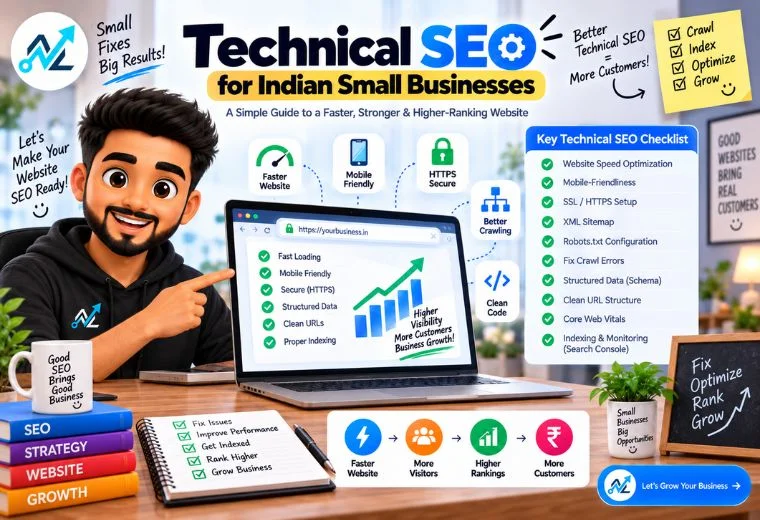
Quick Answer: Technical SEO makes your website easy for Google to find, read, and trust. For Indian small businesses, the most important steps are making your site fast, mobile-friendly, and secure (HTTPS), then adding a sitemap, robots.txt file, and schema markup. Fix these, and Google is far more likely to show your business in search results.
Table of Contents
You’ve worked on your keywords. You’ve added the right content to your pages. Maybe you’ve even built a few backlinks. But your website still isn’t showing up on Google the way it should.
The problem might not be what’s on your pages. It might be how your website is built underneath.
That’s what technical SEO fixes.
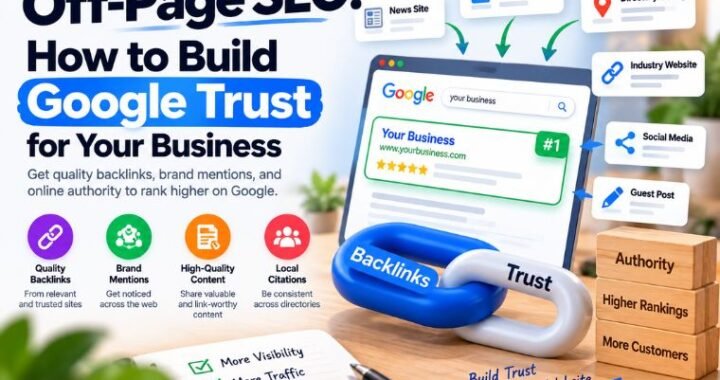
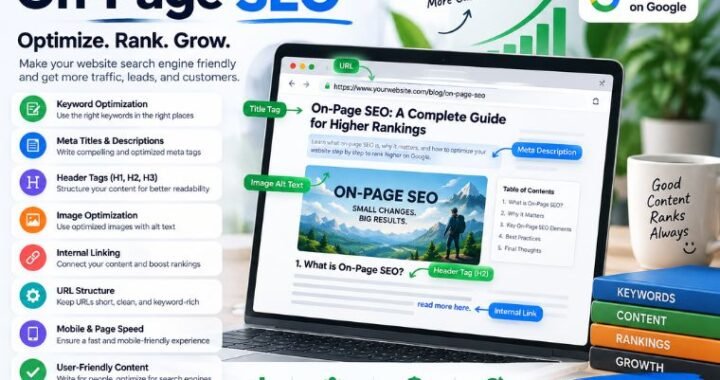
This guide is part of NayaLogic’s ongoing SEO education series. If you haven’t already, read our posts on What Is SEO, On-Page SEO, and Off-Page SEO first — they’ll give you solid context. This article picks up where those leave off, covering the behind-the-scenes factors that decide whether Google can even access your website in the first place.
No coding degree required. Every concept below is explained in plain language, with examples from real Indian businesses.
What Is Technical SEO — and Why Does It Matter for Indian Small Businesses?
Technical SEO is the process of making sure Google can find, open, read, and trust your website.
Think of it this way. You own a medical clinic in Pune. Your website has the right keywords, good content, and your address listed clearly. But if Google’s crawler — the tool it uses to scan websites — can’t access your pages, none of that effort counts. Your clinic won’t show up when a patient searches “best clinic near me.”
Technical SEO removes those barriers. It’s the foundation that on-page and off-page SEO sit on top of. Without it, even great content goes unseen.
For small businesses — kirana stores, salons, restaurants, real estate agents, coaching centres — the stakes are real. Most of your customers search Google before they walk through your door. A technically broken website loses those customers to a competitor.
The good news: you don’t need a developer to fix most of these issues. Free tools exist for almost every step.
How Does Site Speed Affect Your Google Ranking?
Slow websites lose customers. They also lose Google’s trust.
Google uses site speed as a ranking factor. A page that takes more than three seconds to load is likely to be abandoned by the visitor — and Google knows this. Slow sites rank lower.
For Indian small business websites, common speed problems include:
- Large image files that haven’t been compressed
- Cheap, shared hosting that can’t handle traffic spikes
- Too many plugins slowing down WordPress or other site builders
- No browser caching set up
A restaurant in Bengaluru with a beautiful food photo gallery can easily have this problem. The photos look great, but if each image is 5MB in size, the page will crawl. Compress your images before uploading. Tools like TinyPNG or Squoosh bring file sizes down without hurting quality.
To test your site’s speed right now, use Google’s free PageSpeed Insights tool (pagespeed.web.dev). It gives you a score out of 100 and tells you exactly what to fix.
Why Mobile-Friendliness Is Non-Negotiable for Indian Businesses
Most of your customers are on their phones. This is especially true in India, where mobile internet use is far higher than desktop. If your website doesn’t work well on a small screen, you’re losing potential customers every day.
Google also operates on a “mobile-first” basis. This means Google primarily looks at your mobile site — not your desktop site — when deciding where to rank you.
A mobile-friendly website:
- Loads quickly on a 4G or 5G connection
- Has text large enough to read without zooming in
- Has buttons spaced far enough apart to tap easily
- Doesn’t require horizontal scrolling
A salon in Delhi with a booking button that’s too small to tap on a phone is losing appointment bookings right now. That’s a direct revenue loss.
Test your site using Google’s Mobile-Friendly Test (search.google.com/test/mobile-friendly). It’s free and takes under a minute.
What Is HTTPS — and Does Your Business Website Have It?
HTTPS is the padlock symbol you see in the address bar of your browser. It means the connection between your visitor and your website is encrypted and secure.
If your website still shows HTTP (without the “S”), Google flags it as “Not Secure.” Visitors see a warning when they visit. Many will leave immediately — especially if your site has a contact form or a payment option.
HTTPS is also a confirmed Google ranking signal. Secure sites rank higher than insecure ones, all else being equal.
Getting HTTPS is simple. Contact your web hosting provider and ask them to install an SSL certificate. Most reputable Indian hosting providers — like Hostinger India or BigRock — offer free SSL certificates. If yours doesn’t, switch providers.
This single fix can make a meaningful difference to both your ranking and your visitors’ trust.
What Is a Sitemap — and How Do You Create One?
A sitemap is a file that lists every page on your website. It’s like a table of contents for Google’s crawler.
Without a sitemap, Google has to find your pages on its own. It usually can, but it might miss some — especially newer pages or pages that aren’t linked anywhere.
With a sitemap, you hand Google a complete list. It finds your pages faster. New content gets indexed sooner.
To create your sitemap:
- Use NayaLogic’s free Sitemap Generator — enter your website URL and it builds the file for you
- Download the sitemap.xml file
- Upload it to your website’s root folder (e.g., yourbusiness.com/sitemap.xml)
- Submit it to Google via Google Search Console (search.google.com/search-console)
A real estate agent in Hyderabad with 50 property listing pages should absolutely have a sitemap. Without one, Google may only ever find 10 of those pages. That means 40 opportunities to appear in search results — gone.
What Is a Robots.txt File — and Should You Have One?
A robots.txt file tells Google which pages of your website to crawl and which to skip.
This sounds technical, but the practical use is simple. Some pages on your website aren’t meant for the public — admin login pages, thank-you pages after form submissions, or duplicate pages created by your website builder. You don’t want Google wasting its time on those. You also don’t want those pages appearing in search results.
A robots.txt file keeps Google focused on the pages that matter.
Important: Never accidentally block your important pages in the robots.txt file. If your entire website is blocked, Google can’t see any of it.
Use NayaLogic’s free Robots.txt Generator to create a clean, safe robots.txt file for your website. It handles the formatting for you so you don’t make costly mistakes.
What Is Schema Markup — and How Does It Help a Small Business?
Schema markup is a small piece of code you add to your website that helps Google understand exactly what your business is and what it offers.
Think of it as a label you put on your website so Google doesn’t have to guess. Instead of Google just reading your homepage and figuring out you’re a restaurant, schema markup tells Google directly: “This is a restaurant. Its name is Raju’s Dhabha. It’s open from 11am to 11pm. Its address is [X]. Its average customer rating is 4.7 stars.”
When you add schema markup, your business becomes eligible for rich results in Google. These are the search listings that show extra information — like star ratings, opening hours, or price range — right in the search result itself. They stand out. They get more clicks.
A doctor’s clinic in Lucknow with correct schema markup might appear in Google results showing the clinic name, address, phone number, and star rating all in one box. A clinic without schema markup just shows a plain link. Which one gets the click?
Use NayaLogic’s free Schema Generator to build the right schema code for your business type — no coding needed. Once generated, your web developer (or you, if your site is on WordPress) can paste it in.
What Is Crawlability — and How Do You Know If Google Can Access Your Site?
Crawlability means Google’s bots can visit, open, and read your pages without hitting errors.
Common crawlability problems include:
- 404 errors — pages that no longer exist but are still linked from somewhere
- Redirect chains — where one URL redirects to another, which redirects to another, creating a slow and confusing chain
- Orphan pages — pages on your website that no other page links to, so Google can’t find them
- Server errors (500 errors) — your server crashed or is too slow to respond
A coaching centre in Jaipur that rebranded its courses might have deleted old course pages without setting up redirects. Any student or parent who clicks an old link from Google gets a 404 error. Google notices this. It reduces your site’s credibility.
Google Search Console is the best free tool for catching these issues. Set up your property, verify your website, and check the “Coverage” and “Pages” reports regularly. Google tells you exactly which pages it couldn’t crawl and why.
A Quick Technical SEO Checklist for Indian Small Businesses
Run through this checklist to see where your website stands:
- Site speed — PageSpeed Insights score above 70 (aim for 90+)
- Mobile-friendly — Passes Google’s Mobile-Friendly Test
- HTTPS — Padlock visible in the browser address bar
- Sitemap — sitemap.xml created and submitted to Google Search Console
- Robots.txt — Clean file in place; no important pages accidentally blocked
- Schema markup — Business type, name, address, hours, and ratings coded correctly
- No 404 errors — All links on your site point to working pages
- Google Search Console — Set up and checked at least once a month
If you tick every box, your website is in strong technical shape. If you find gaps, prioritize HTTPS and mobile-friendliness first. These have the biggest impact.
How Technical SEO Connects to On-Page and Off-Page SEO
Technical SEO, on-page SEO, and off-page SEO work together. Think of them as three legs of a stool.
On-page SEO covers your content — the right keywords, headings, and descriptions on each page. Off-page SEO covers your reputation — backlinks, Google reviews, and business citations. Technical SEO covers the structure — how fast, secure, and crawlable your website is.
Remove any one leg and the stool falls.
A kirana store owner who has great content on their website but a slow, non-secure site will still struggle to rank. A salon with 200 five-star Google reviews but a sitemap that’s never been submitted to Google might only have half its pages indexed.
All three need attention. For most small businesses, technical SEO is the most neglected — and often the quickest to fix.
Fix the Foundation. Everything Else Follows.
Technical SEO is not glamorous work. You won’t see it on your home page or in your social media posts. But without it, your content, keywords, and backlinks are built on an unstable base.
Get the foundation right — secure, fast, mobile-ready, crawlable — and every other SEO effort you make becomes more effective.
Start with the free tools: run a speed test, check your mobile-friendliness, generate your sitemap and robots.txt, and add schema markup to your key pages. Each step moves Google closer to showing your business to the right customers.
Want help putting all of this in place for your business? NayaLogic’s SEO team handles technical SEO, on-page content, and off-page strategy — all in one place, starting at ₹2,999/month with no setup fee.
Book your free demo and see exactly what needs fixing on your website.
Frequently Asked Questions
What is the most important technical SEO fix for a small business website?
Start with HTTPS. A secure website is a basic trust signal for both Google and your visitors. After that, fix site speed and ensure your site passes Google’s Mobile-Friendly Test. These three steps cover the biggest ranking factors.
How do I know if Google has indexed my website pages?
Open Google and type: site:yourdomain.com — for example, site:rajuclinic.com. Google will show all the pages it has indexed from your site. If some pages are missing, check your sitemap and robots.txt file.
Do I need a developer to fix technical SEO issues?
Not for most of them. Tools like NayaLogic’s free Sitemap Generator, Robots.txt Generator, and Schema Generator let you create the right files without writing a single line of code. HTTPS setup is handled by your hosting provider.
How long does technical SEO take to show results?
Some fixes — like HTTPS — can improve trust signals almost immediately. Others, like indexing new pages from your sitemap, can take a few weeks as Google’s crawler visits your site. SEO results generally build over three to six months.
Does a slow website really affect my Google ranking?
Yes. Google uses page speed as a direct ranking factor, particularly for mobile search. A page that loads in one second performs significantly better than one that loads in five seconds — both in rankings and in customer retention.
What is schema markup and do Indian small businesses need it?
Schema markup is code that tells Google the specifics of your business — type, location, hours, ratings. Any local business — clinic, restaurant, salon, real estate agent — benefits from it. It increases your chances of appearing with rich results (like star ratings) in Google search, which drives more clicks.
Is technical SEO a one-time fix?
No. Websites change. New pages are added, old ones are removed, hosting setups shift. Check Google Search Console monthly. Run a speed test every quarter. Update your sitemap whenever you add major new content.