WhatsApp Chatbot for Small Businesses: The Complete Guide for Indian SMBs

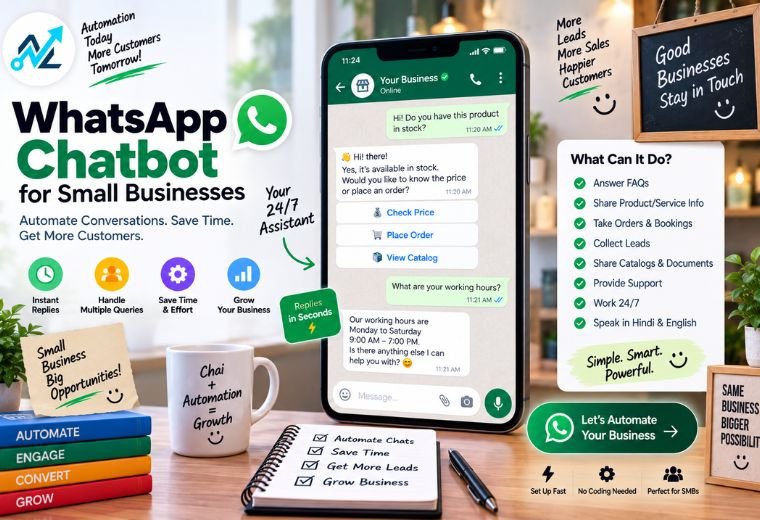
Table of Contents
Your phone buzzes. A customer asks about your price. Then another asks about timings. Then someone wants to know if you’re open on Sunday. You’re in the middle of lunch. You can’t reply.
That lead is gone.
This happens to thousands of Indian small business owners every day. A WhatsApp chatbot fixes it — automatically, affordably, and without you lifting a finger.
This guide covers everything: what a WhatsApp chatbot is, how it works, what it can do for your business, and how to get one running. Whether you run a salon in Dehradun, a clinic in Pune, or a kirana store in Delhi, this is built for you.
What Is a WhatsApp Chatbot?
A WhatsApp chatbot is an automated program that replies to your customers on WhatsApp — without you typing a single word.
It reads incoming messages. It understands what the customer wants. It replies with the right answer, instantly.
A customer asks: “Do you have an appointment slot tomorrow at 11 AM?”
The chatbot checks your calendar. It confirms or offers alternatives. It books the slot. It sends a confirmation.
You didn’t do any of that. The chatbot did.
It works 24 hours a day, 7 days a week. It never gets tired. It never misses a message. And it speaks to every customer like a trained staff member.
This is what WhatsApp automation looks like in practice — not complicated tech, just a smarter way to handle customer conversations.
How a WhatsApp Chatbot Works
The process is simple. Here’s the basic flow:
1. Customer sends a WhatsApp message to your business number.
This could be a question, a booking request, a complaint, or just a “hi.”
2. The chatbot reads the message.
It uses AI to understand what the customer actually means — not just keywords, but intent.
3. It picks the right response.
Based on what the customer asked, the chatbot pulls the correct reply from your pre-set flows and information.
4. It responds instantly.
The customer gets a reply in seconds — day or night.
5. It takes action if needed.
Book an appointment. Send a product catalogue. Share a payment link. Update an order status. The chatbot handles it end to end.
6. It escalates to a human when necessary.
If something is complex or the customer asks to speak to someone, the chatbot passes the conversation to your team — with full context already captured.
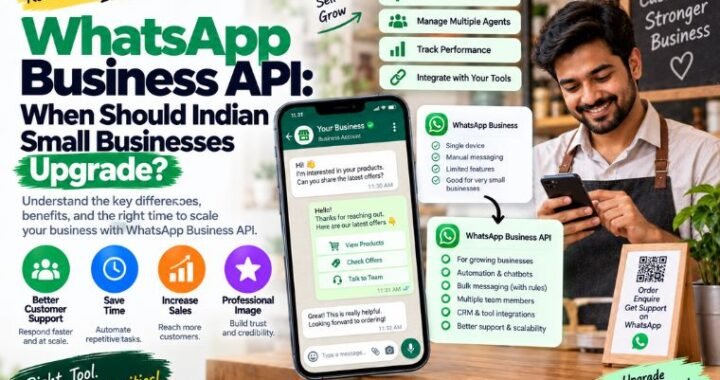
The whole system runs on the WhatsApp Business API, which is Meta’s official channel for business automation. It is reliable, secure, and built for high-volume conversations.
5 Key Use Cases for Indian Small Businesses
1. Lead Qualification — Stop Wasting Time on Tyre Kickers
Not every person who messages you is ready to buy. A chatbot figures that out before you spend a single minute on them.
It asks the right questions: What are you looking for? What is your budget? When do you need it? Are you in [city]?
Based on the answers, it tags the lead as hot, warm, or cold. It sends the hot leads straight to you. It nurtures the others automatically.
You spend your time only on the people most likely to pay.
This is the kind of AI automation that used to be available only to large companies. Now it is accessible to small businesses across India.
2. Appointment Booking — Zero No-Shows
A customer wants to book. You’re with another client. They move on.
A chatbot stops that from happening. It shows available slots, confirms the booking, and sends automatic reminders — one day before, one hour before. If the customer needs to reschedule, they do it themselves on WhatsApp.
Zero missed bookings. Zero no-shows.
3. FAQs — Same Questions, Answered Automatically
Every business gets the same questions every day:
- “What are your timings?”
- “Where are you located?”
- “What is the price?”
- “Do you offer home delivery?”
A chatbot answers all of these instantly, without your team repeating themselves all day. Your staff gets their time back. Your customers get faster answers.
4. Order Updates — Keep Customers in the Loop
Customers hate not knowing where their order is. A chatbot fixes this without a single phone call.
It sends automatic updates at every stage: order confirmed, order dispatched, out for delivery, delivered. The customer stays informed. You get fewer “where is my order?” messages.
This works especially well for restaurants, kirana stores, and small e-commerce sellers.
5. Review Requests — More Google Stars, Automatically
Good reviews build trust. Most customers don’t leave one unless you ask.
A chatbot asks for them automatically — right after a purchase or appointment, when the experience is fresh. It sends a short message with a direct link to your Google review page. More reviews. Better rankings. No manual follow-up needed.
Want to see how local reviews connect to search visibility? Check out our Google Business Profile service for the full picture.
WhatsApp Chatbot vs. Manual Replies: A Direct Comparison
| Manual Replies | WhatsApp Chatbot | |
| Availability | Business hours only | 24/7 |
| Response speed | Minutes to hours | Seconds |
| Consistency | Varies by staff member | Always the same |
| Lead qualification | Manual, slow | Automatic |
| Appointment booking | Phone calls or DMs | Self-serve via chat |
| Scalability | Requires more staff | Handles unlimited volume |
| Cost | High (staff salaries) | Low (starts at ₹2,999/month) |
Manual replies work when you have one or two messages a day. Once your business grows — or once a competitor starts using automation — manual replies become a liability.
Industry-Specific Examples
Salons
A salon in Bengaluru sets up a WhatsApp chatbot. A customer messages at 10 PM asking for a Sunday slot. The chatbot shows available times, confirms the booking, and sends a reminder on Saturday evening. The stylist walks in on Sunday to a full appointment book — without touching a phone the night before.
Explore WhatsApp automation for salons →
Clinics and Doctors
A general physician’s clinic uses a chatbot to handle appointment bookings, share consultation fees, and send prescription reminders. The front desk spends less time on the phone and more time with patients.
See how clinics use WhatsApp automation →
Restaurants
A restaurant in Jaipur uses a chatbot to take table reservations, share the daily menu, and send order confirmations for takeaway. During peak hours, the kitchen runs without anyone answering WhatsApp messages.
WhatsApp chatbot for restaurants →
Real Estate Agents
A property dealer in Mumbai sets up a chatbot to qualify buyer leads. The bot asks budget, location preference, and property type. Only serious, pre-qualified buyers get connected to the agent directly.
WhatsApp automation for real estate →
Kirana Stores
A kirana store owner in Lucknow uses a chatbot to take daily orders from regular customers. Customers send a message each morning. The bot collects the list and sends it to the store. The delivery goes out by noon. No missed orders. No confusion.
How to Get a WhatsApp Chatbot Set Up
Getting started is simpler than most business owners expect. Here’s how the process works with NayaLogic:
Step 1: Book a free demo.
Tell us about your business. We show you what a chatbot could do for your specific situation — no jargon, no pressure.
Step 2: Choose your plan.
Plans start at ₹2,999/month with no setup fee. We recommend the right plan based on your message volume and use cases.
Step 3: We set everything up.
You don’t need to install anything or learn any software. Our team configures your chatbot flows, connects your WhatsApp Business number, and tests everything before going live.
Step 4: Go live.
Your chatbot starts handling messages. You get a dashboard to track conversations, leads, and bookings.
Step 5: Refine over time.
As your business grows, we update and improve your chatbot flows. It gets smarter the longer it runs.
You can also use our free WhatsApp Link Generator to create a direct chat link for your website, social media, or business card — so customers can message you with one tap.
Ready to Stop Missing Messages?
Every unanswered WhatsApp message is a potential customer who moved on. A chatbot makes sure that never happens again.
It qualifies your leads. It books your appointments. It answers your FAQs. It updates your orders. It asks for reviews. All automatically. All on WhatsApp — where your customers already are.
Book a free demo with NayaLogic. We’ll show you exactly what a chatbot can do for your business — in plain terms, with no commitment.
Frequently Asked Questions
Do I need to be tech-savvy to use a WhatsApp chatbot?
No. NayaLogic sets everything up for you. You don’t write a single line of code or learn any new software. You just tell us how your business works, and we build the chatbot to match.
Is this different from the free WhatsApp Business app?
Yes. The free WhatsApp Business app lets you set a few quick replies and an away message. That’s it. A proper chatbot uses the official WhatsApp Business API and can handle full conversations, bookings, payments, and lead qualification — automatically, at scale.
Will my customers know they’re talking to a bot?
You can set it up either way. Some businesses prefer full transparency. Others set the bot to feel like a helpful team member. Either approach works — what matters is that your customers get fast, accurate replies.
What happens if a customer asks something the chatbot doesn’t know?
The bot escalates the conversation to a real person on your team. The transition is smooth, and the agent can see the full chat history so the customer doesn’t have to repeat themselves.
How many customers can the chatbot handle at once?
Unlimited. Whether you get 10 messages a day or 1,000, the chatbot handles them all at the same speed with the same quality.
How long does it take to get set up?
Most businesses are live within a few days of signing up. There’s no lengthy onboarding process.
What is the cost?
Plans start at ₹2,999/month with no setup fee. View full pricing →