WhatsApp Business API: When Should Indian Small Businesses Upgrade?

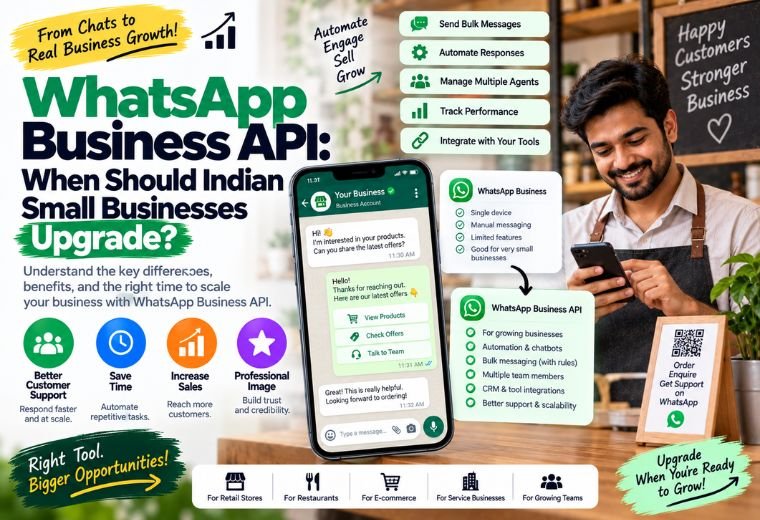
Quick answer: The WhatsApp Business API gives Indian small businesses access to automated replies, bulk messaging, chatbots, and multi-agent support — features the free WhatsApp Business app cannot provide. If you’re missing leads, managing customer chats manually, or sending reminders one by one, the API is the upgrade your business needs.
Table of Contents
Most Indian small business owners start with the free WhatsApp Business app. It works fine at the beginning — you set up a business profile, save some quick replies, and handle customer chats yourself.
Then business picks up. Inquiries start coming in at 10 PM. You miss a booking because you were with another customer. A restaurant owner in Dehradun is manually sending tomorrow’s menu to 200 people, one message at a time. A salon in Mumbai has no way to send appointment reminders, so no-shows pile up every week.
The free app has done its job. But it has hit its limit.
That’s where the WhatsApp Business API comes in. This guide explains what the API is, how it differs from the free WhatsApp Business app, and how to know when your business is ready to make the switch. By the end, you’ll know exactly which tool fits your situation — and what your next step looks like.
What Is the WhatsApp Business API?
The WhatsApp Business API is a paid, developer-grade version of WhatsApp built for businesses that need to send messages at scale, automate customer conversations, and connect WhatsApp to other tools like CRMs, booking systems, or billing software.
Unlike the standard WhatsApp Business app, the API does not have a front-end interface. You access it through a third-party platform or service provider — like NayaLogic’s WhatsApp Automation service — who sets everything up and manages the technical side for you.
Think of it this way: the free WhatsApp Business app is a smart tool you operate manually. The API is the engine behind an automated system that runs on its own.
WhatsApp Business App vs. WhatsApp Business API: What’s the Difference?
Here’s a plain comparison of the two tools:
| Feature | WhatsApp Business App (Free) | WhatsApp Business API |
| Cost | Free | Paid (per conversation) |
| Automated replies | Basic auto-reply only | Full chatbot automation |
| Bulk messaging | Not supported | Supported via approved templates |
| Multiple agents | 1 device/number | Multiple agents on one number |
| CRM/booking integration | Not supported | Fully supported |
| Appointment reminders | Manual only | Automated |
| Order/delivery updates | Manual only | Automated |
| Chatbot capability | None | Full AI chatbot support |
| Who manages it | You | Set up and managed for you |
The free app works well for businesses with low daily message volume and simple needs. The API is the right tool when customer conversations become too large, too frequent, or too complex to handle manually.
Who Is the WhatsApp Business API Built For?
The API is not just for large corporates. Any Indian small business that deals with high customer message volume, appointment scheduling, or repeat order management can benefit from it.
Here are five common examples:
Salons and spas — A salon in Bengaluru handles 40+ bookings a week. Without reminders, 10–15% of clients forget their appointment. The API sends an automated reminder 24 hours before each slot. No-shows drop. Revenue stays on track.
Clinics and doctors — A general physician in Pune receives 60+ WhatsApp queries daily: appointment requests, prescription follow-ups, lab result questions. One person cannot handle all of this. The API routes messages automatically, answers FAQs via chatbot, and books slots — without the doctor or staff lifting a finger.
Kirana stores and retailers — A kirana store owner in Jaipur sends daily deals and restock alerts to regular customers. With the free app, this means individually forwarding messages. With the API, one approved template message reaches hundreds of customers at once.
Restaurants and cloud kitchens — A restaurant in Hyderabad uses WhatsApp to take pre-orders for weekend specials. The API handles incoming orders automatically, confirms them, and notifies the kitchen. The owner focuses on cooking, not chat management.
Real estate agents — A property agent in Delhi generates leads through Google Ads. Every lead lands on WhatsApp. The API qualifies each lead with automated questions — budget, location, property type — before the agent speaks to a single prospect. Only hot leads get a call back.
5 Signs Your Business Is Ready for the WhatsApp Business API
Not sure if this is the right time to upgrade? Watch for these signs:
1. You’re missing messages and losing leads.
If a potential customer messages you at 9 PM and gets no reply until morning, you’ve likely lost that lead. The API ensures every message gets an instant automated response — any time of day.
2. You’re sending reminders and updates manually.
Copy-pasting the same message to 50 people is not a system. The API automates every reminder, order update, and follow-up — with zero manual effort.
3. More than one person needs to handle WhatsApp.
The free app ties your number to one device. The API connects your number to multiple team members or agents, all working from the same inbox simultaneously.
4. Customers are asking the same questions over and over.
“What are your timings?” “Do you have this in stock?” “When will my order arrive?” These are questions a chatbot can answer automatically, at scale. Your team gets their time back.
5. You want WhatsApp connected to your other tools.
Booking systems, billing software, Google Sheets, CRMs — the API integrates with all of them. Your workflow becomes one connected chain instead of a collection of separate tasks.
How the WhatsApp Business API Actually Works
The setup process sounds technical. With a service provider handling it for you, it isn’t.
Here’s how it works in practice:
- Apply for API access — Your provider submits your business details to Meta (WhatsApp’s parent company) for verification.
- Get a verified WhatsApp Business number — This is the number your customers will message. It shows a green verified tick.
- Set up message templates — Pre-approved message formats used for outbound communication (reminders, order updates, promotions).
- Build your automation flows — Define what happens when a customer sends a message. “Hi” triggers a welcome message. “Book” triggers the appointment flow. “Order status” triggers a tracking update.
- Connect to your tools — Link your booking system, CRM, or spreadsheet so data flows automatically.
- Go live — Your automated WhatsApp system is active. Customers message in. The system responds, qualifies, books, and follows up.
NayaLogic manages every step of this for Indian small businesses — no technical knowledge required. Plans start at ₹2,999/month with no setup fee.
From WhatsApp Business API to Full WhatsApp Automation
The API is the foundation. What you build on top of it is where the real results come from.
WhatsApp Automation takes the API and layers in:
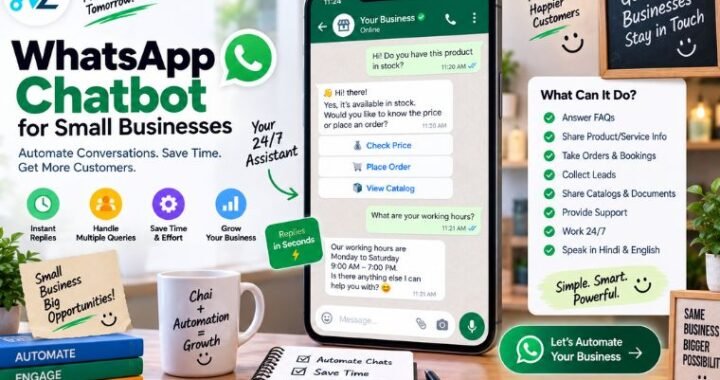
- AI chatbots that qualify leads, answer questions, and collect customer details — 24/7
- Drip campaigns that follow up with cold leads automatically over days or weeks
- Order and delivery notifications triggered the moment something changes in your system
- Review requests sent automatically after a purchase or appointment
- Broadcast messages to segmented customer lists — promotions, back-in-stock alerts, seasonal offers
The API gives you the channel. Automation gives you the system. Together, they handle the entire customer journey — from first message to repeat purchase — without your team having to manage it manually.
For a deeper look at how this works end to end, read our full WhatsApp Business Guide and WhatsApp Automation guide.
What Does the WhatsApp Business API Cost in India?
Pricing has two components:
1. Conversation-based charges from Meta
WhatsApp charges per conversation (a 24-hour messaging window), not per message. Conversations are categorized as utility, authentication, marketing, or service — each with different rates in INR. These charges go directly to Meta.
2. Platform or service provider fees
This is what you pay your provider (like NayaLogic) for setting up and managing your automation. NayaLogic’s plans start at ₹2,999/month with no setup fee.
For a full cost breakdown based on your business size, use the NayaLogic ROI Calculator to see what the investment looks like against the leads and time you’d save.
Is the WhatsApp Business API Worth It for Small Businesses?
Ask a different question: what does missing one lead per day cost you?
For a salon with an average booking value of ₹800, one missed appointment per day is ₹24,000 lost per month. An automated reminder system through the API could recover most of that.
For a clinic, a single missed patient inquiry represents not just the consultation fee — but a potential long-term patient relationship.
For a kirana store, a bulk WhatsApp message to 500 regulars announcing a weekend discount can drive footfall that a Facebook post never would.
The API pays for itself when the value of automated follow-ups, recovered leads, and time saved exceeds the monthly fee. For most Indian small businesses dealing with 30+ customer conversations a day, that calculation is straightforward.
Ready to See It in Action?
The WhatsApp Business API is the right next step for any Indian small business that’s outgrown the free app. Missed leads, manual reminders, slow responses, and disconnected tools are all problems the API solves directly.
NayaLogic sets up and manages the entire system for you — the API access, the chatbot flows, the automation sequences, and the integrations. No tech team needed. No setup fee.
Book a free demo and see how WhatsApp automation works for your specific business — whether you run a salon, a clinic, a restaurant, or a retail store.
Frequently Asked Questions
What is the WhatsApp Business API and how is it different from the free WhatsApp Business app?
The WhatsApp Business API is a paid, advanced version of WhatsApp designed for businesses that need automation, bulk messaging, chatbots, and multi-agent support. The free WhatsApp Business app handles basic chat manually on one device. The API connects to software systems and runs automated conversations at scale — without anyone typing a single reply.
Can Indian small businesses use the WhatsApp Business API, or is it only for large companies?
Any business can apply for WhatsApp Business API access. Indian small businesses — salons, clinics, kirana stores, restaurants, real estate agents — are actively using it. The entry cost has dropped significantly, and service providers like NayaLogic make it accessible starting at ₹2,999/month with no setup fee.
How do I get access to the WhatsApp Business API in India?
You apply through Meta’s official process, which requires a verified Facebook Business Manager account and a dedicated phone number. Most small businesses go through an official service provider who handles the application, setup, and ongoing management. NayaLogic manages this entire process for you.
How much does WhatsApp Business API cost for a small business in India?
Costs have two parts: Meta’s per-conversation charges (billed in INR based on conversation type) and your service provider’s monthly fee. NayaLogic’s plans start at ₹2,999/month with no setup fee. Use the ROI Calculator to estimate your specific costs and returns.
What kinds of messages can I send through the WhatsApp Business API?
You can send appointment reminders, order confirmations, delivery updates, promotional offers, feedback requests, and payment reminders. Outbound messages use pre-approved templates reviewed by Meta. Inbound messages (replies from customers) trigger automated chatbot flows.
Do I need technical knowledge to use the WhatsApp Business API?
No. When you work with a service provider like NayaLogic, the entire technical setup — API access, chatbot flows, template approval, and integrations — is handled for you. You describe what you want your business to do on WhatsApp. NayaLogic builds and manages the system.
How is the WhatsApp Business API different from WhatsApp automation?
The API is the access layer — it’s what allows you to connect WhatsApp to software systems. WhatsApp automation is what you build on top of it: chatbots, drip campaigns, booking flows, bulk broadcasts, and CRM integrations. The API alone does nothing. Automation is what makes it work for your business.
Which Indian businesses benefit most from the WhatsApp Business API?
Businesses with high daily message volume, appointment scheduling needs, repeat customer communication, or multi-person customer service teams. Salons, clinics, restaurants, real estate agents, kirana stores, and coaching centers are among the most common use cases in India.